


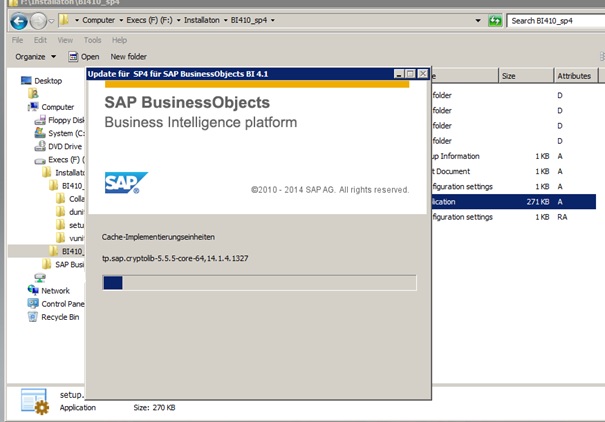
This document describes the upgrade process of the “Business Objects Software” from the version 4.0 to version 4.1 sp4.You can download the related files from following service.sap.com location
SAP Basis, SAP Security, S/4HANA, Fiori, SAP Administration
-
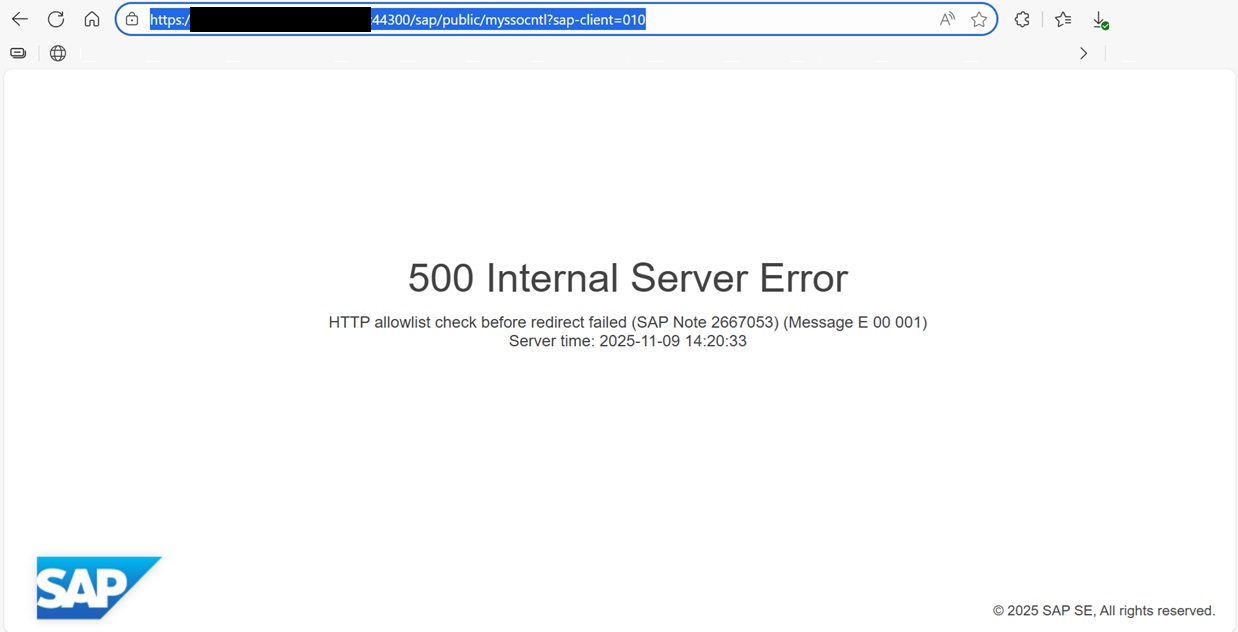
How to Resolve SAML2 HTTP 500 Errors Caused by HTTP Allow List Restrictions
When performing a server migration, hostname update, or domain change in an SAP landscape, one of the most common issues administrators encounter is...
-

Automatically Reorganizing Short Dumps
In order to clean the shortdumps in the system with certain criteria, the “SAP_REORG_ABAPDUMPS” job (Program Name : RSSNAPDL) must be...
-
Reset the password of user Administrator of SAP Cloud Connector
Reset the password of user Administrator of SAP Cloud Connector – Stop the SAP Cloud Connector Service with the following command; #service...
-
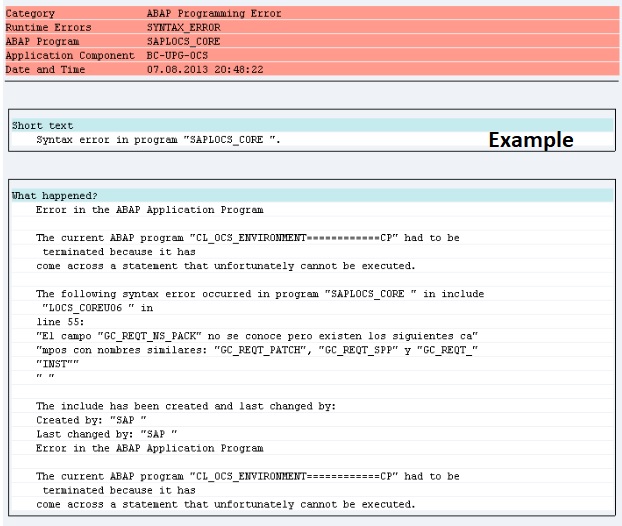
Dumps after SPAM aborts while Importing SAP Support Package
If the SPAM transaction is canceled or there is a connection interruption during the transfer of SAP Support Packages, errors as stated below may...
-
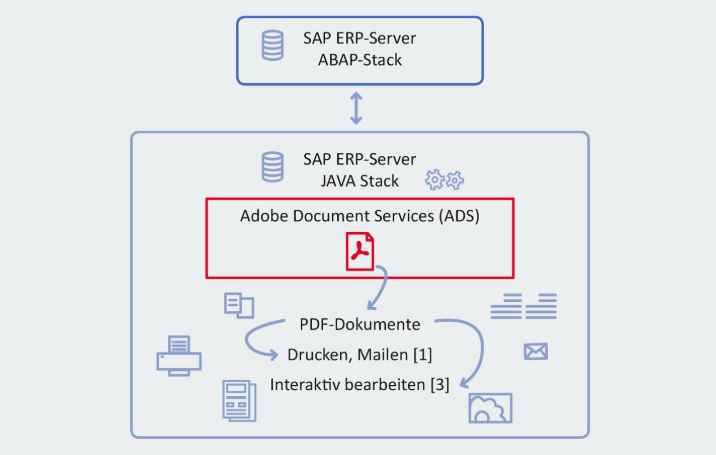
SAP HotNews : RSPO1043 detects false inconsistencies and deletes spool requests
If you are storing ADS spool requests in the database and not in the default way in the filesystem or you are on one of this SPs or higher ; ...
-
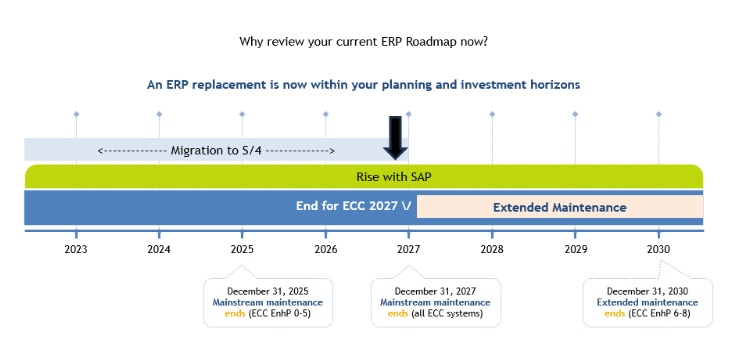
SAP extends support deadline for getting off legacy software
SAP has announced an extension for support for legacy systems for certain customers who sign up for specific ERP cloud migration deals. ...
-
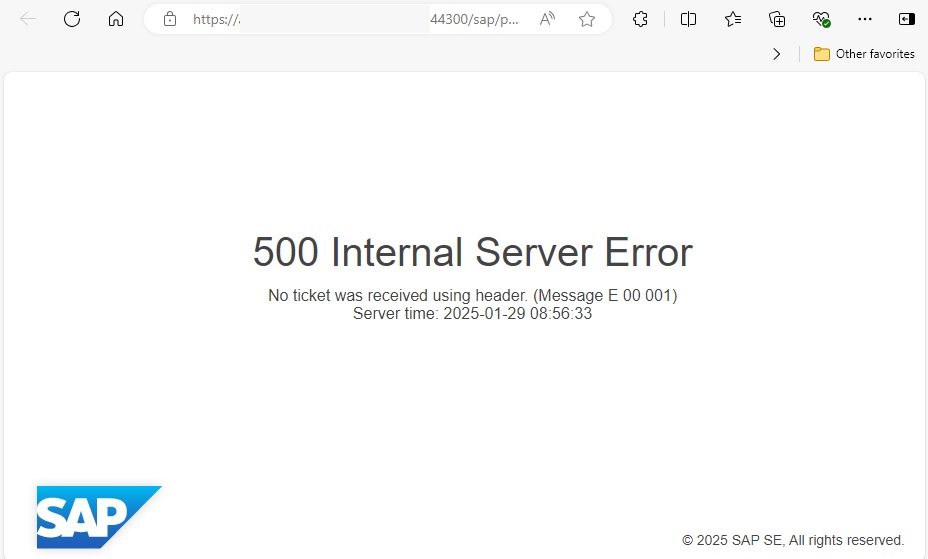
500 Internal Server Error via Web Browser
When trying to open a web browser-based screen via a transaction code in SAP, a “500 Internal Server Error” error may be received. ...
-
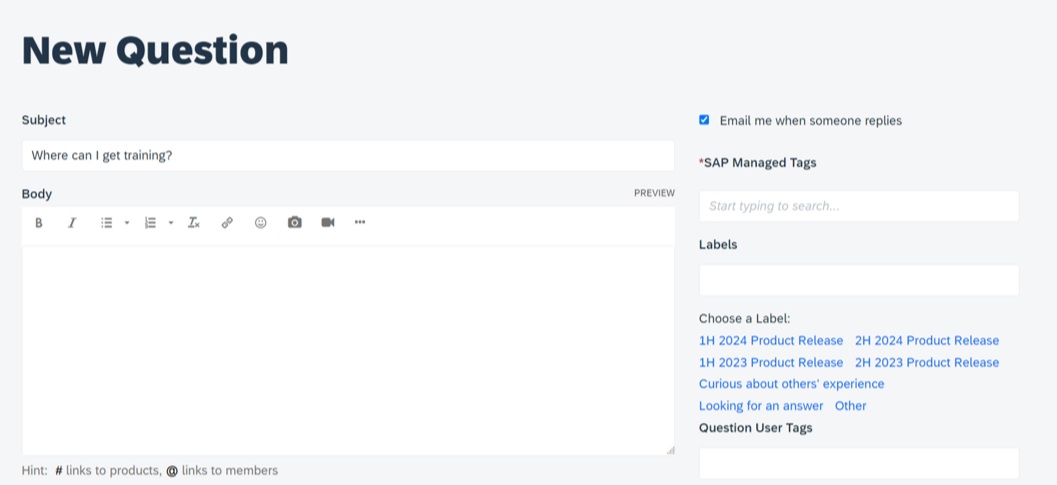
Asking and Answering Questions in the SAP Community
SAP provides a convenient channel through which you can ask questions about any SAP topic. Before asking a question, you can also browse the...
-
Performance Issues on ABAP Stack
Today we are going to check performance issues on ABAP stack…The system may be up and running, but performance issues will hurt...
-

What is RISE with SAP ?
RISE with SAP is a “Business Transformation as a Service (BTaaS) product that focuses on shifting customers into the SAP cloud product...
Windows Pagefile Calculator
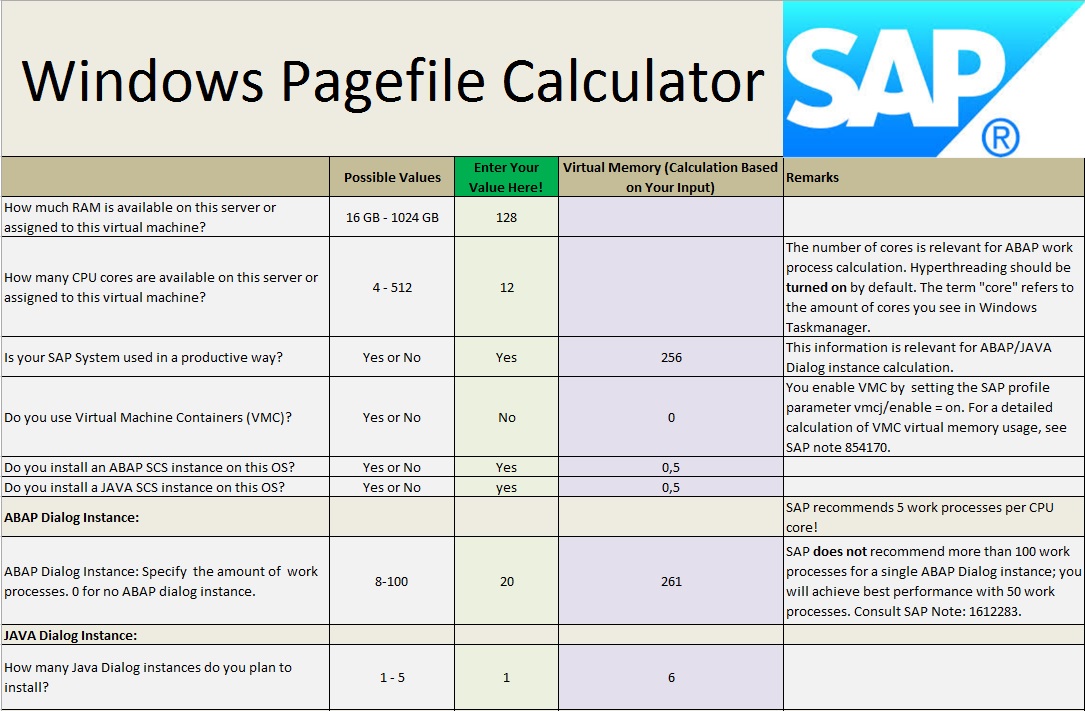
You can easily calculate your pagefile requirements with the excel file which included in the SAP Note 1518419
The standalone Software Update Manager GUI is no longer supported
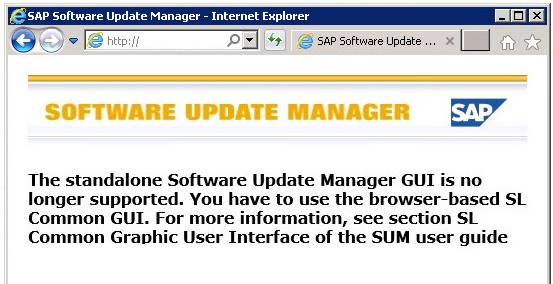
If you are getting an error like “The standalone Software Update Manager GUI is no longer supported. You have to use the browser-based SL Common GUI. For more information, see section SL Common Graphic User Interface of the SUM user guide” while attempting to start SUM tool then you should check the following note.
SAP HANA Studio Installation
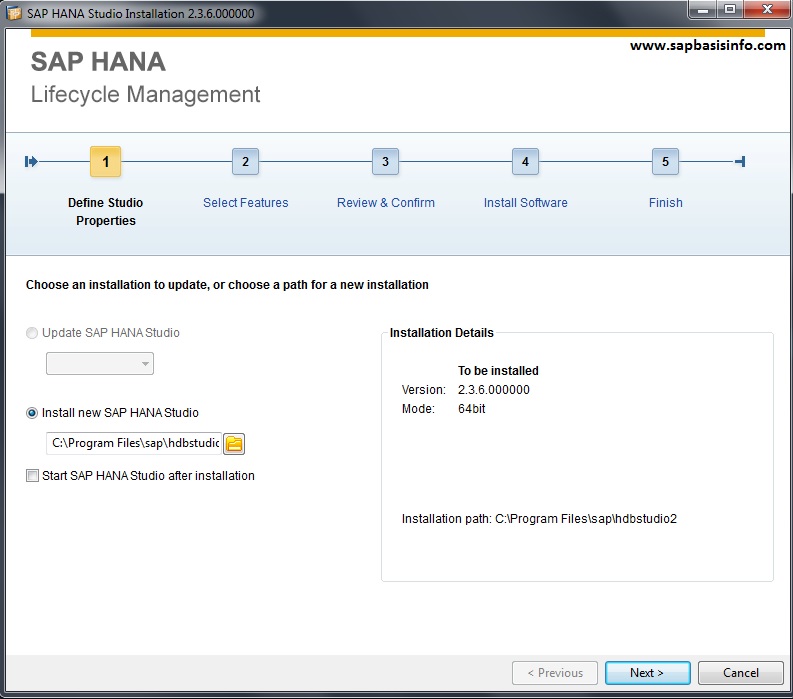
You can easily install “SAP HANA Studio” in this article , just follow the steps…
Download SAP HANA Studio
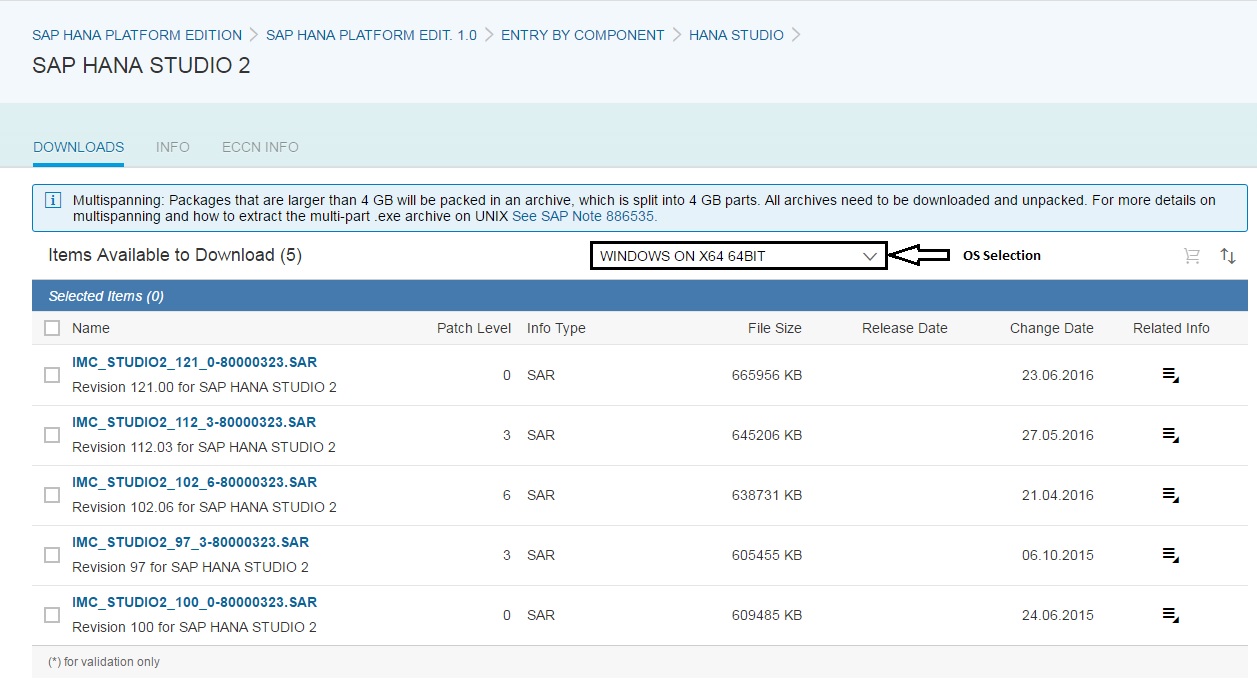
If you have a valid user ID from SAP then you can download “SAP HANA Studio” from SAP Service Market Place with the following address
HANA Cloud Platform for Trial
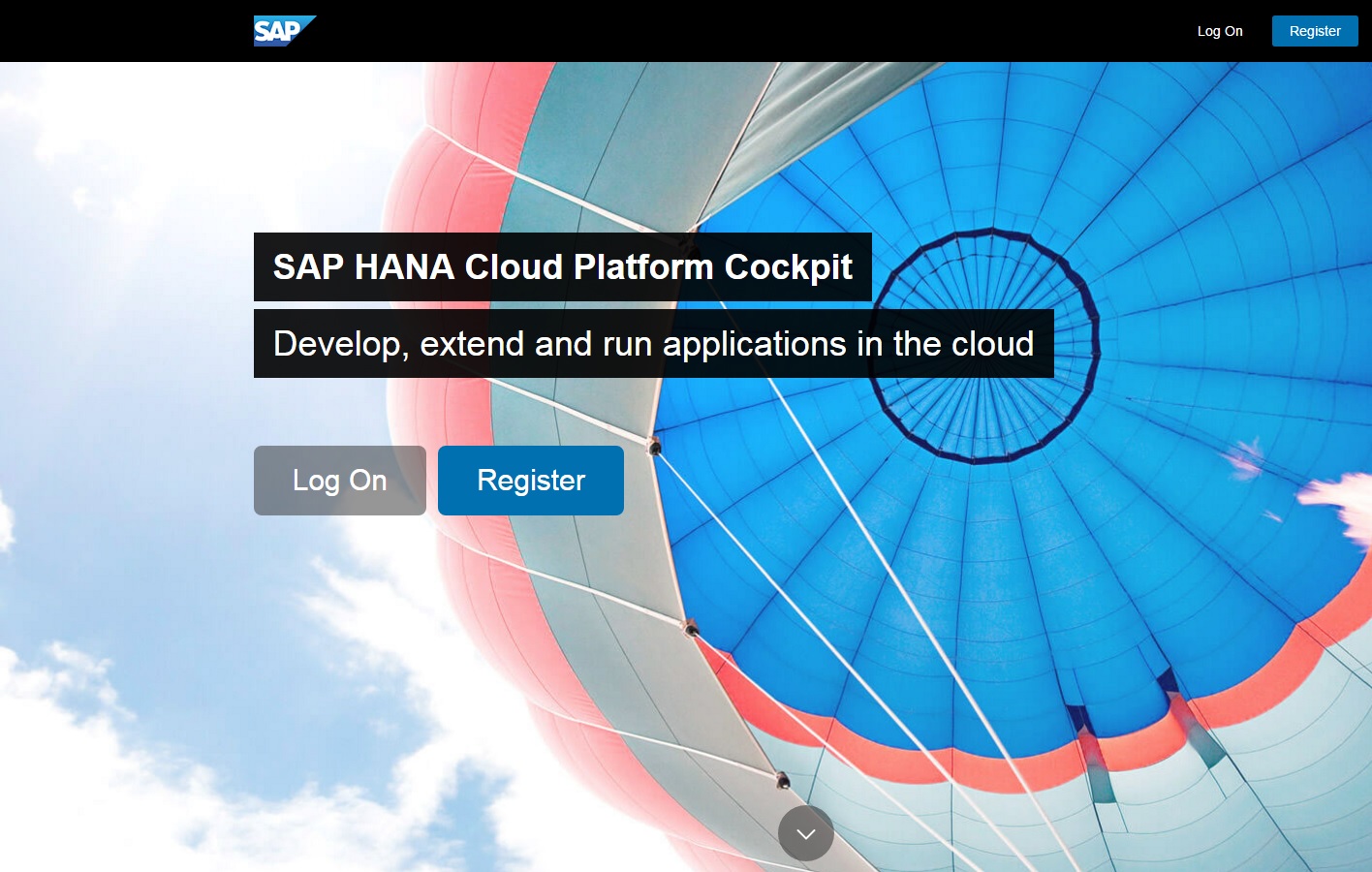
SAP provides a trial instance of HANA Cloud and you can be used for learnind porposes.If you want to discover new SAP HANA Cloud Platform for free then you can create a trial account with the following steps easily…
HANA TCP/IP Ports
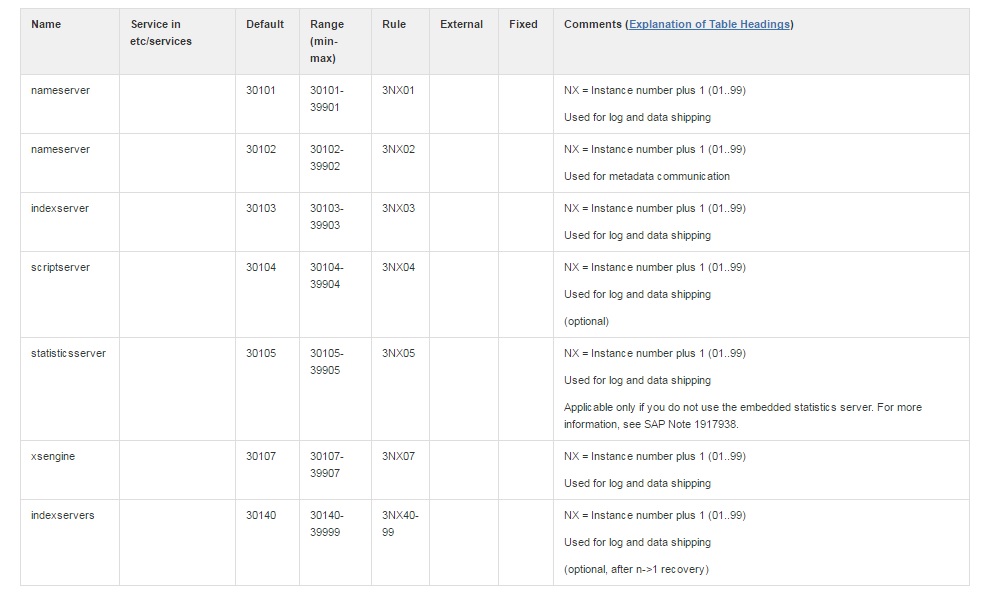
You can find the TCP/IP (Transmission Control Protocol/Internet Protocol) ports for HANA system in this post.
Suite on HANA Sizing Report
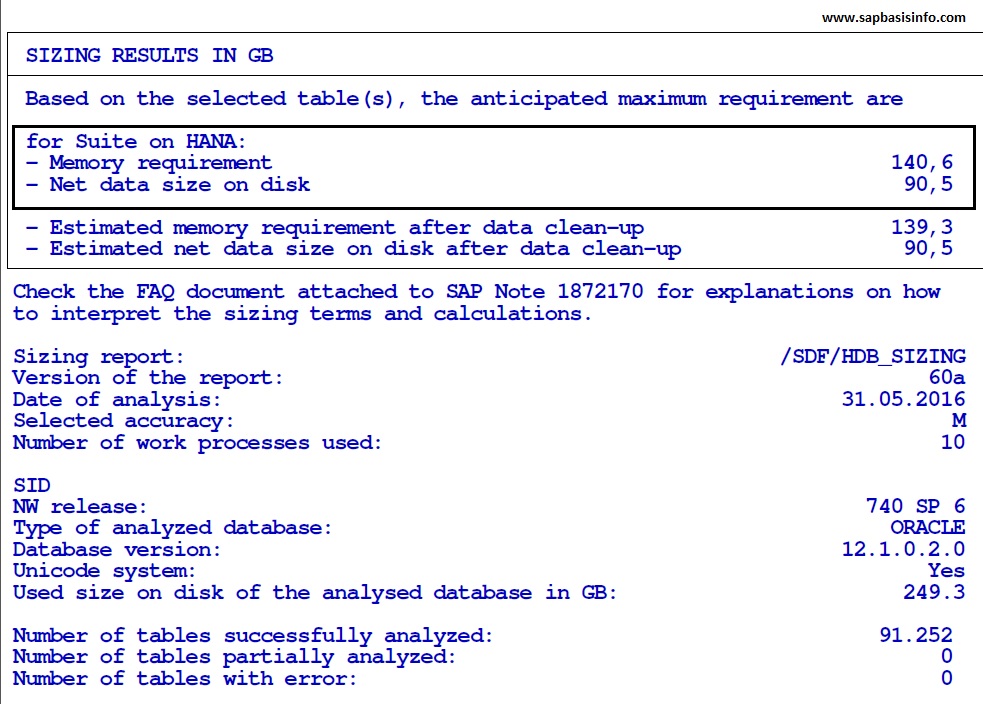
If you are wondendering of your SAP Suite system’s “Memory and DB” size transformation after a HANA migration operation then you should implement the following OSS notes and execute the SAP report “/SDF/HDB_SIZING” to get these detail informations.
HANA Installation on SUSE Linux
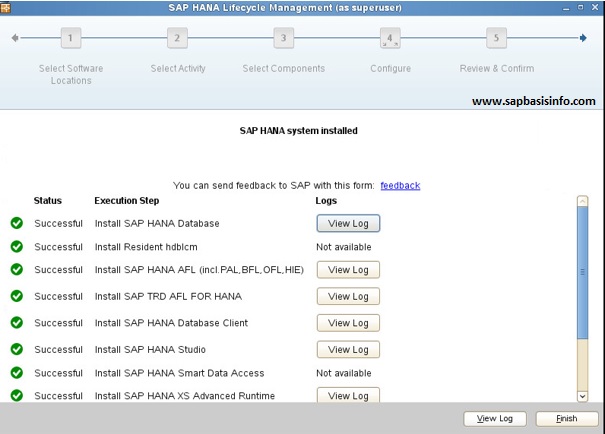
You can install the HANA on SUSE linux OS system accordingly this post easily , just follow the screens and check the remarks…
SAP HANA Certified Hardware Check
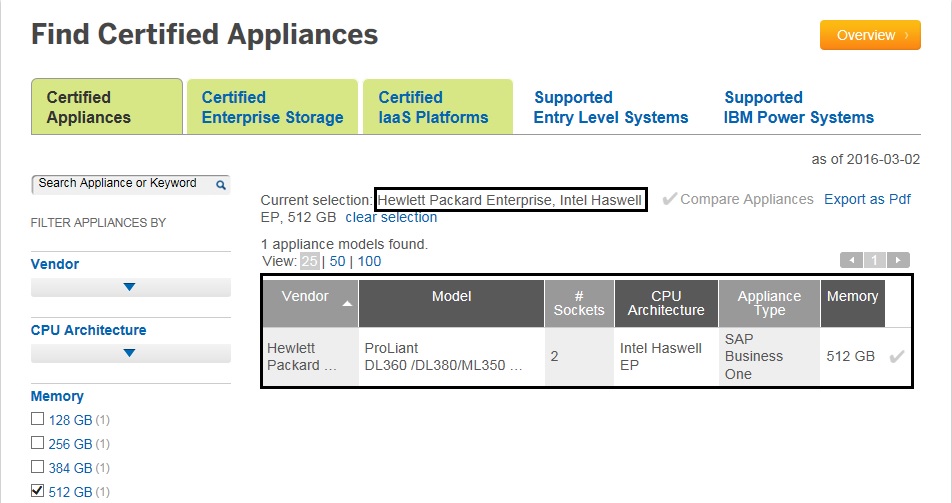
If you want to implement or migrate your SAP system to a new HANA system then first thing you should do is checking the hardware certified situation , to do this , you can use the below updated SAP official web site.
VMware vSphere Host Monitoring Interface for Linux SAP Systems
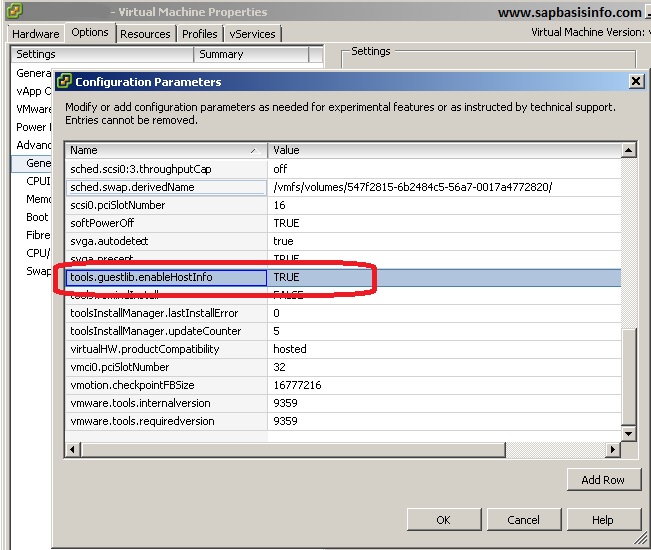
If you want to operate an SAP system on a VMware structure then you shoud do the following installation and settings to accomplish enhanced SAP system monitoring.
Install VMWare Tools on Linux System
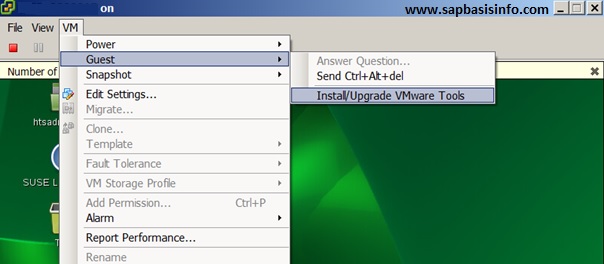
If you are going to use Linux OS for your SAP installation on VMware platform , you should first start with installing “VMware Tools” on the system.
SAP HANA Sizing for SAP BW
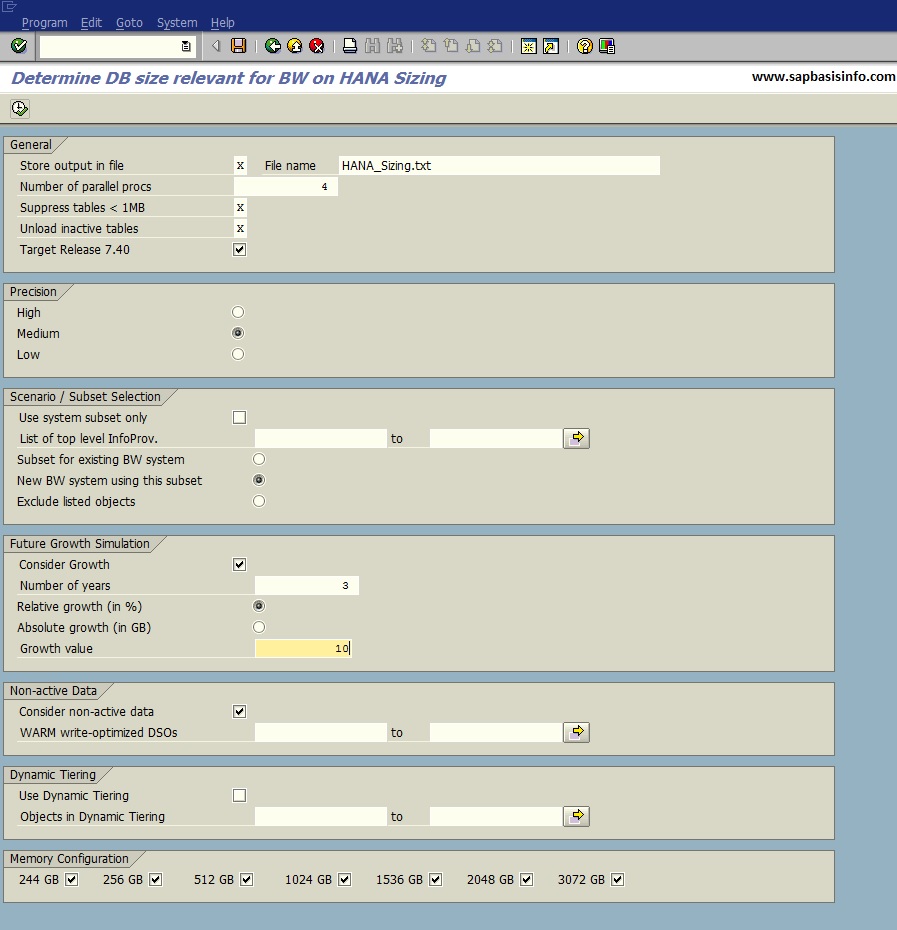
After the BW version 7.3 SP5 we can run SAP BW on SAP HANA platform , before migrate our SAP BW to new HANA platform , SAP recommendation is using the following new ABAP sizing report to calculate new machine specifications.
Kernel Releases for the SAP NetWeaver AS ABAP
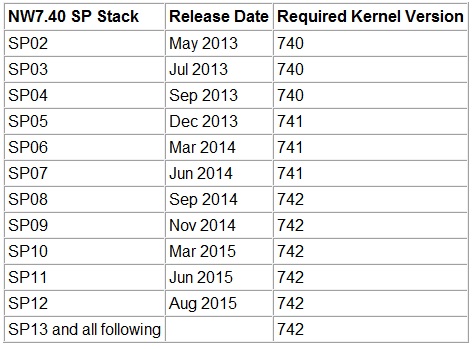
You can find the information about which Kernel version is required with which NW release and which NW SP Stack in this post , also the maintenance of each NW Kernel version ends and which higher Kernel version is available as DCK – “Downward Compatible Kernel” in order to apply Kernel patches.
SUSE Linux “Software” Selection for HANA Installation
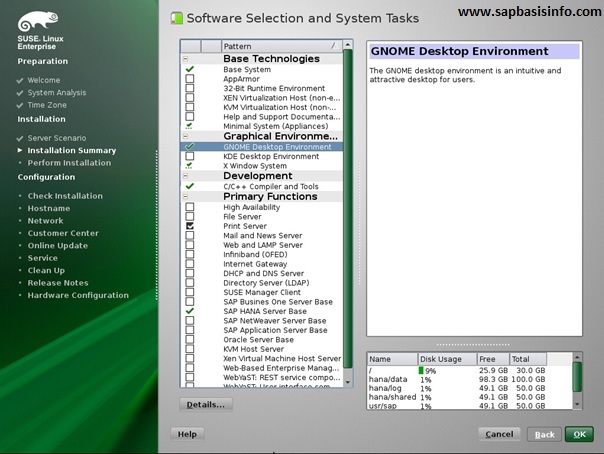
If you want to install “HANA System” on your SUSE Linux installation , then you should select the following “Software’s” according to related SAP OSS notes while your Linux system installation is running.
Add Swap File to SUSE Linux System
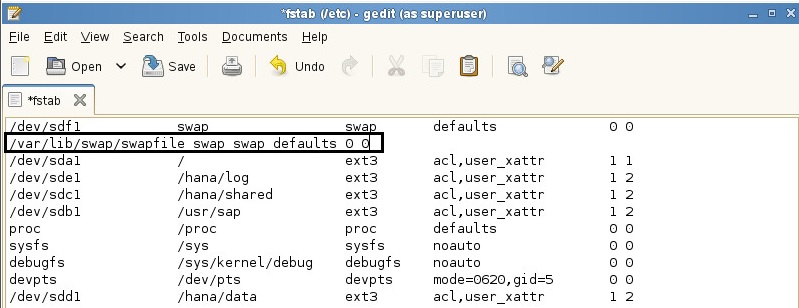
If you want to add new “Swap Space” to your SUSE linux system then you can follow the below steps to do it easily..
How to Download “SUSE Linux” for SAP HANA System Installation
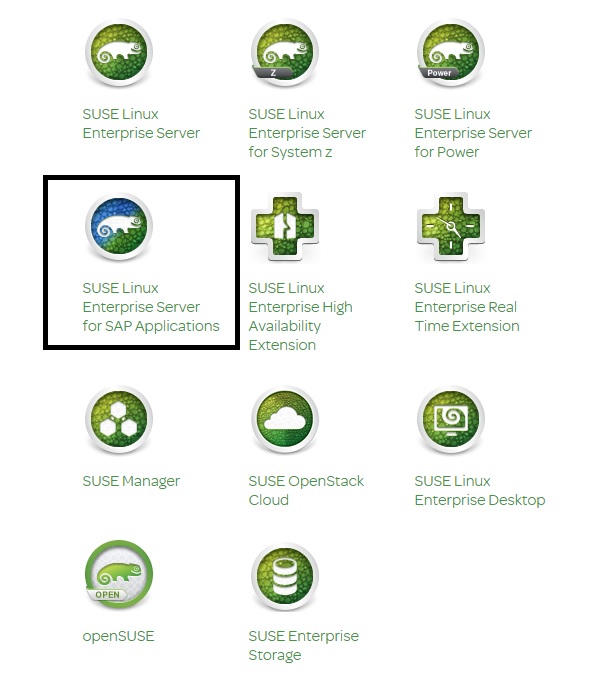
If you want to download “SUSE Linux” for installing “SAP HANA” system , then you can follow the steps in this post to do it easily…
How to Download SAP HANA
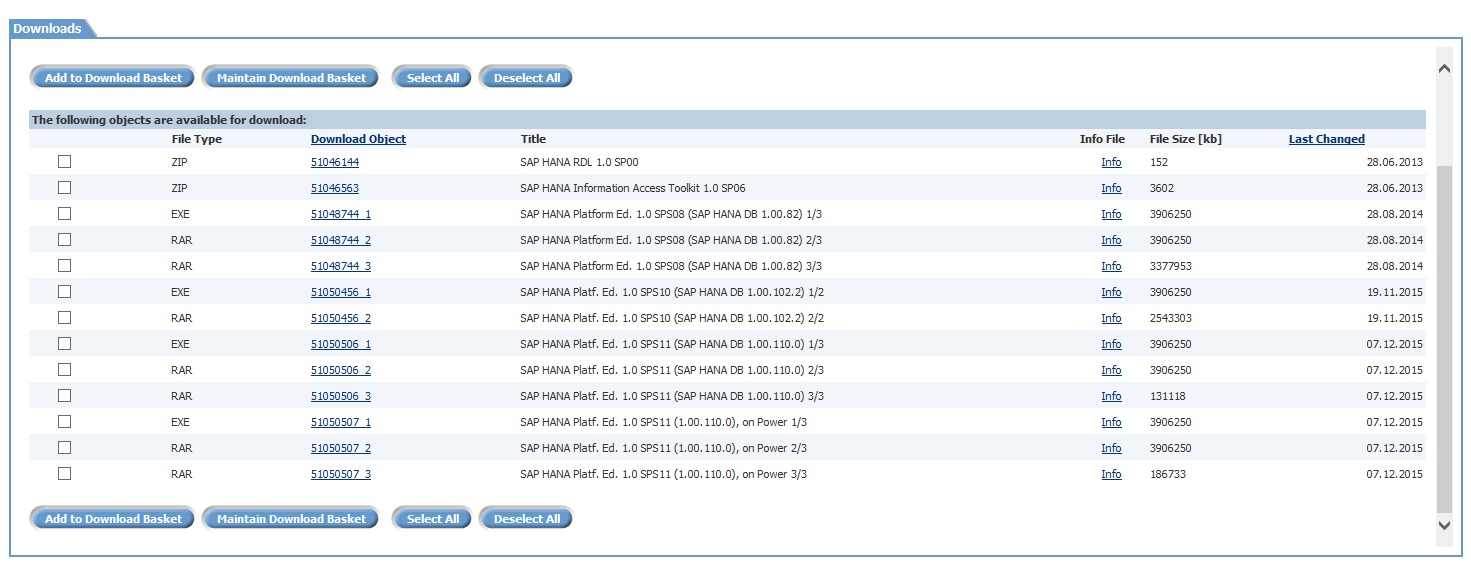
If you want to download “SAP HANA Edition 1.0” or “Support Packages and Patches” then you can follow the below steps to get those files and get some summary information regarding “SAP HANA Server Installation Guide” document.
Check SNC Configuration for SAP Users
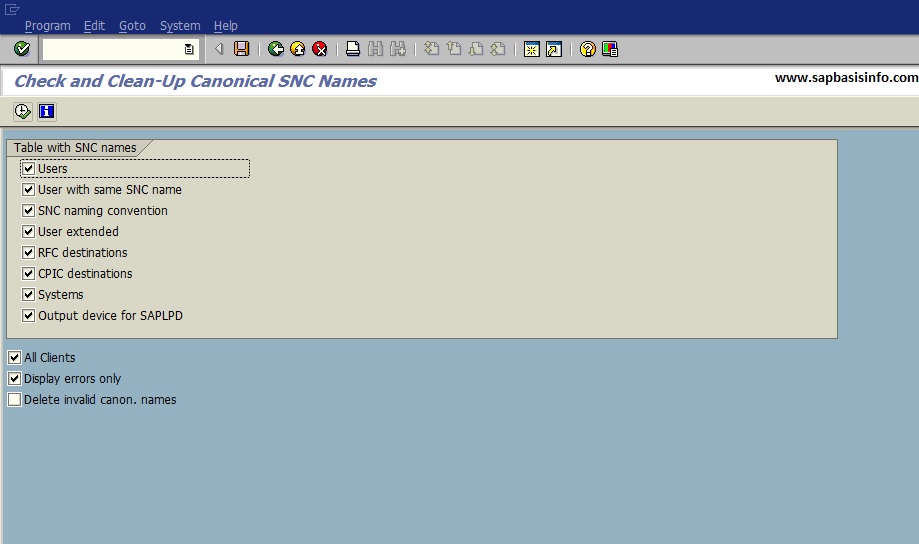
If you want to check your SAP user’s SNC configurations on your SAP system then you can use the following Transaction or Report to get detail information easily…
Background Jobs to Be Scheduled Regularly
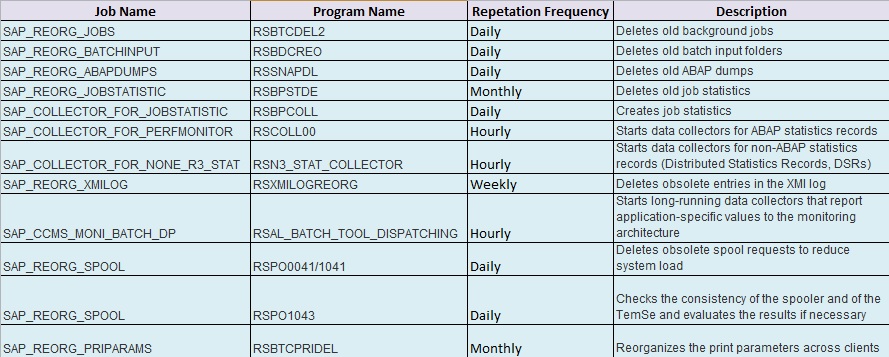
You should schedule the following jobs periodically in the transaction SM36 after then they are automatically started at the specified frequency…
Inconsistency Detected in Tables
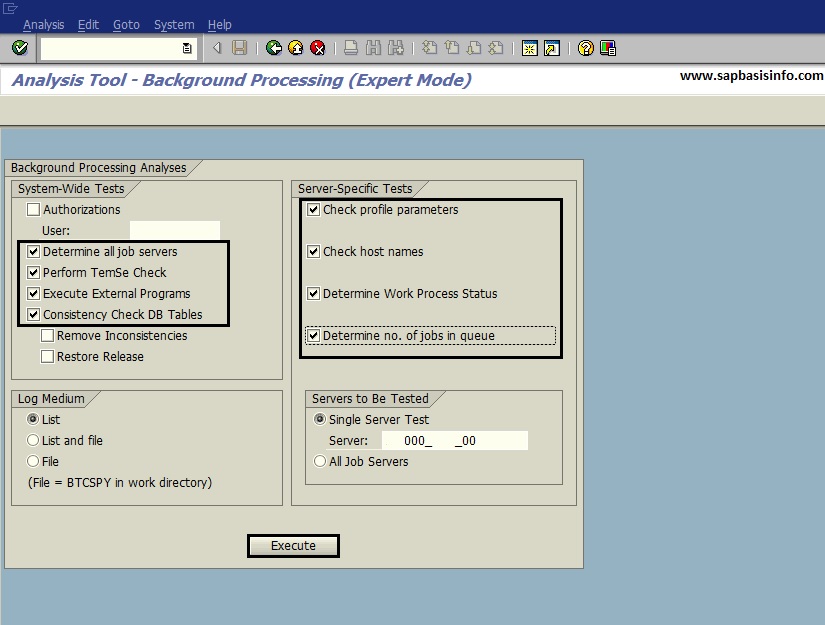
If you are getting an error or warning messages like “Inconsistency detected in tables…” then you can easily check the system situation regarding to this message with transaction SM65 (Background Processing Analysis Tool) with following features…
Developer User’s and Object’s Access Keys
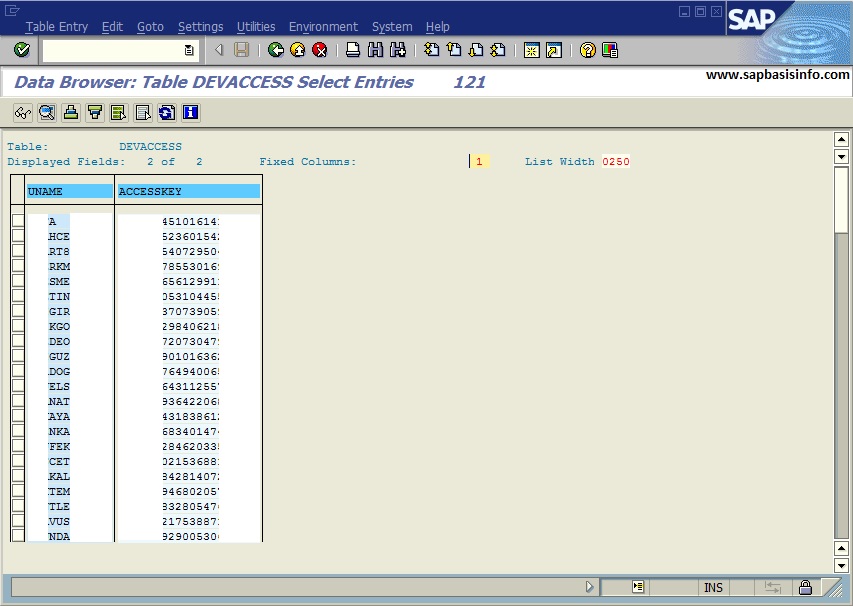
If you need to get “Developer User’s” or “Developer Object’s” username , object name and access key informations then you can check the following SAP tables to get these informations easily.
TRFC SM58 Error “Name or Password is incorrect” for Workflow_Local_ClientNumber
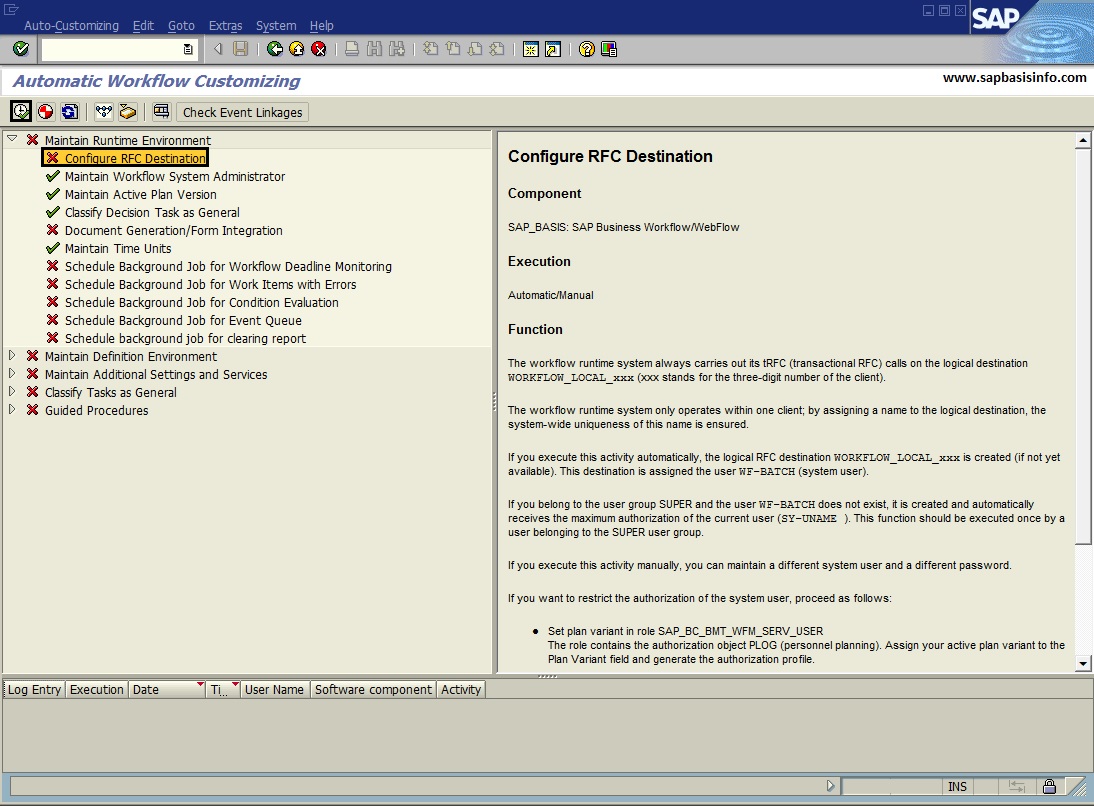
If you are getting an error like “Name or Password is incorrect” for “Workflow_Local_<ClientNumber>” on TRFC (Transaction SM58) then you should check the Workflow_Local_<ClientNumber> RFC connection on transaction code SM59.
Entry found in buffer with no data file(s) transferred yet
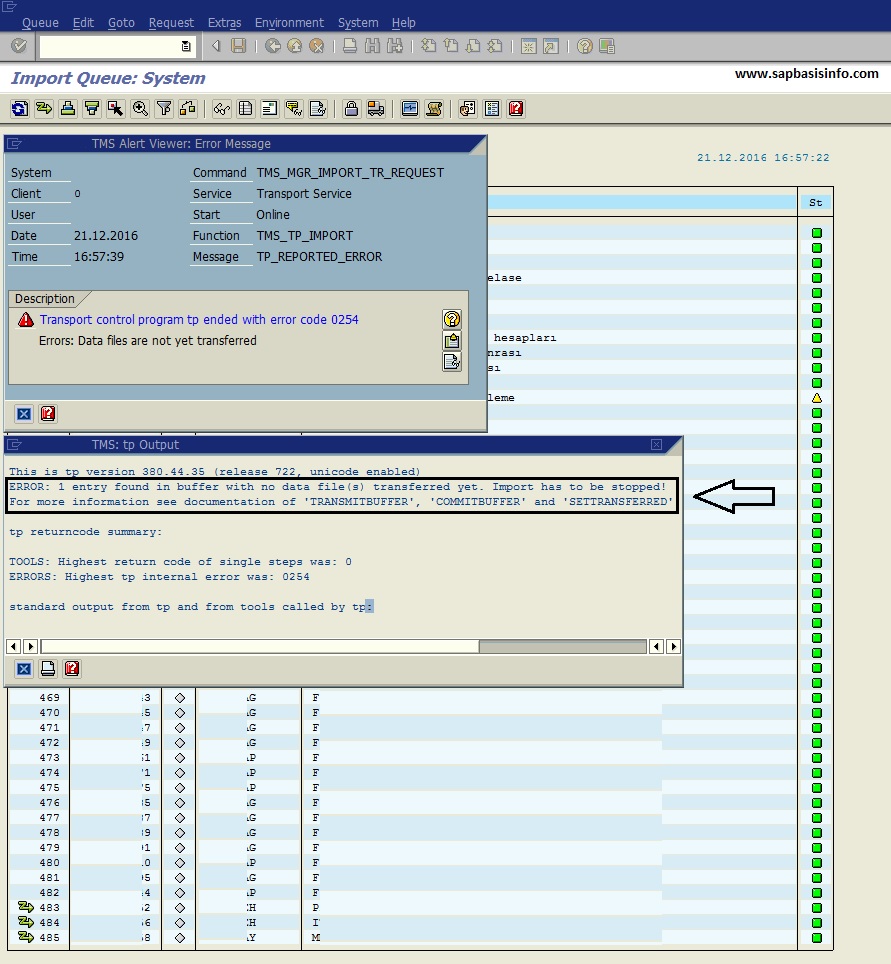
If you are getting an error message like “Error : n entry found in buffer with no data file(s) transferred yet. Import has to be stopped!” while trying to import a transport request via STMS then it’s better to check this article before trying to find a solution…
Featured Posts
-
How to Resolve SAML2 HTTP 500 Errors Caused by HTTP Allow List Restrictions
-
Automatically Reorganizing Short Dumps
-
Reset the password of user Administrator of SAP Cloud Connector
-
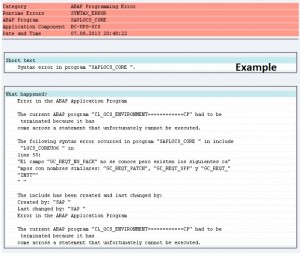
Dumps after SPAM aborts while Importing SAP Support Package
-
SAP HotNews : RSPO1043 detects false inconsistencies and deletes spool requests
-
SAP extends support deadline for getting off legacy software
-
500 Internal Server Error via Web Browser
-
Asking and Answering Questions in the SAP Community
-

Performance Issues on ABAP Stack
-

What is RISE with SAP ?
Recent Comments