You can easily install “SAP HANA Studio” in this article , just follow the steps…
Goto your installation directory and execute the file “hdbsetup.exe” to start the installation GUI

On the below screen you can directly continue if you are installing the “SAP HANA Studio” for the first time , if you have already installed version then you can just upgrade your software with “Upgrade SAP HANA Studio” selection.
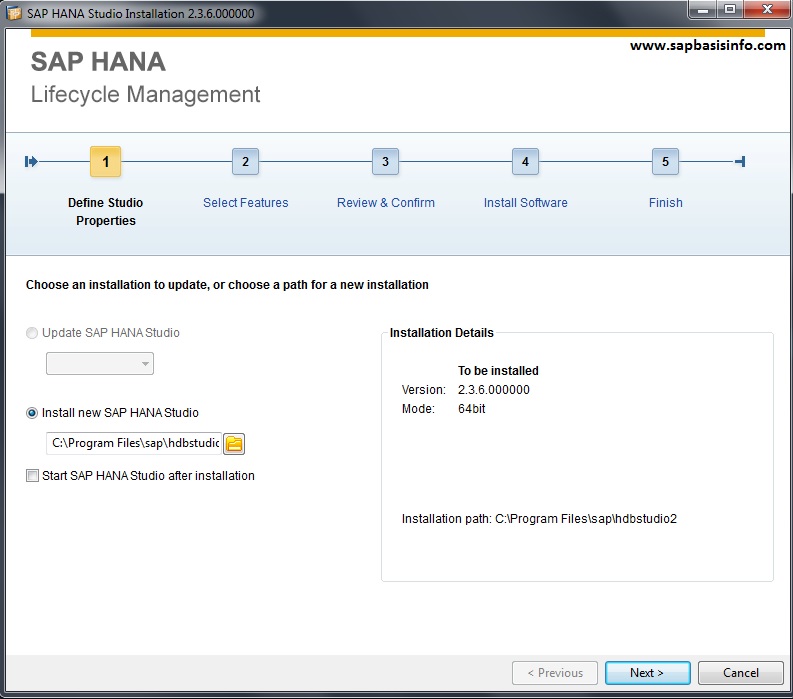
Next
I recommend you to leave the settings like below to install “Administration , Application and Database Development” features for SAP HANA Studio

Next
Now you can see the result of your selections before the upgrade process starts to install

Next
Installation process will start immediately

Finally you can get the below screen if everthing goes well

Finish