If you want to list “Plug-ins” which installed on your HANA database system, then you can do this via “SAP HANA Administration Console” or on OS level with following steps…
– Using “SAP HANA Administration Console” to list installed plug-ins ;
SAP HANA Administration Console –> Open Administration –> Click the “Installed Plug-ins” link
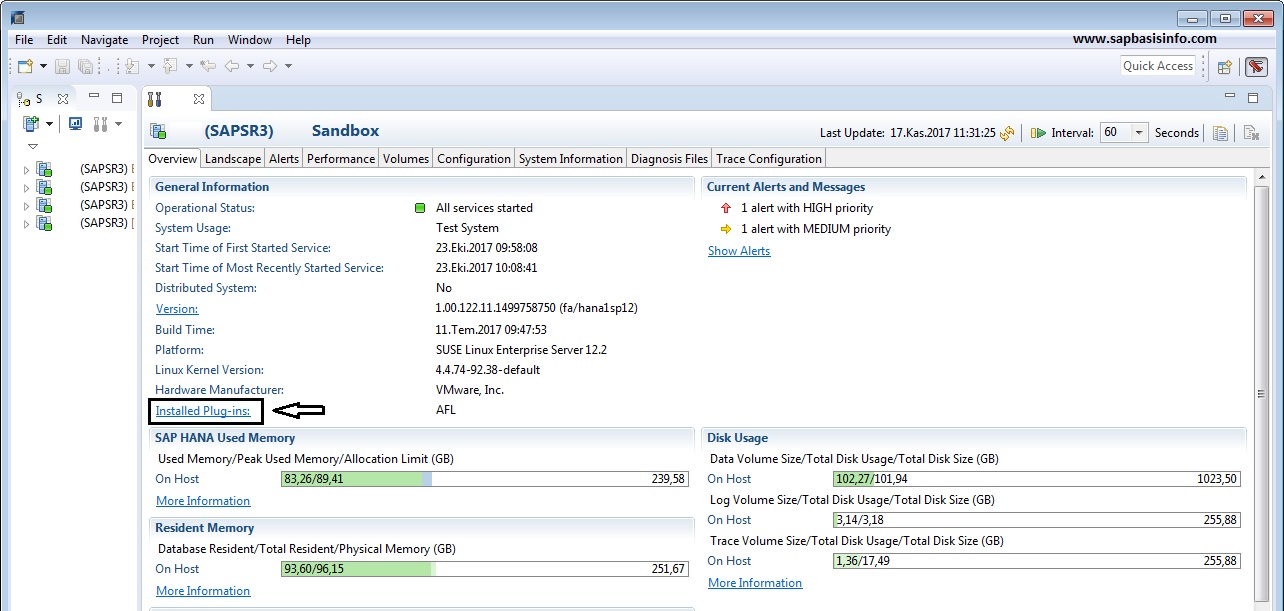
PopUp screen will show you the details of the installed Plug-Ins ;

– Using OS level structure to list installed plug-ins ;
Goto directory “/hana/shared/SID/exe/linuxx86_64/plugins” and list the content like below ;

You can get the installed plugins with the version informations.