


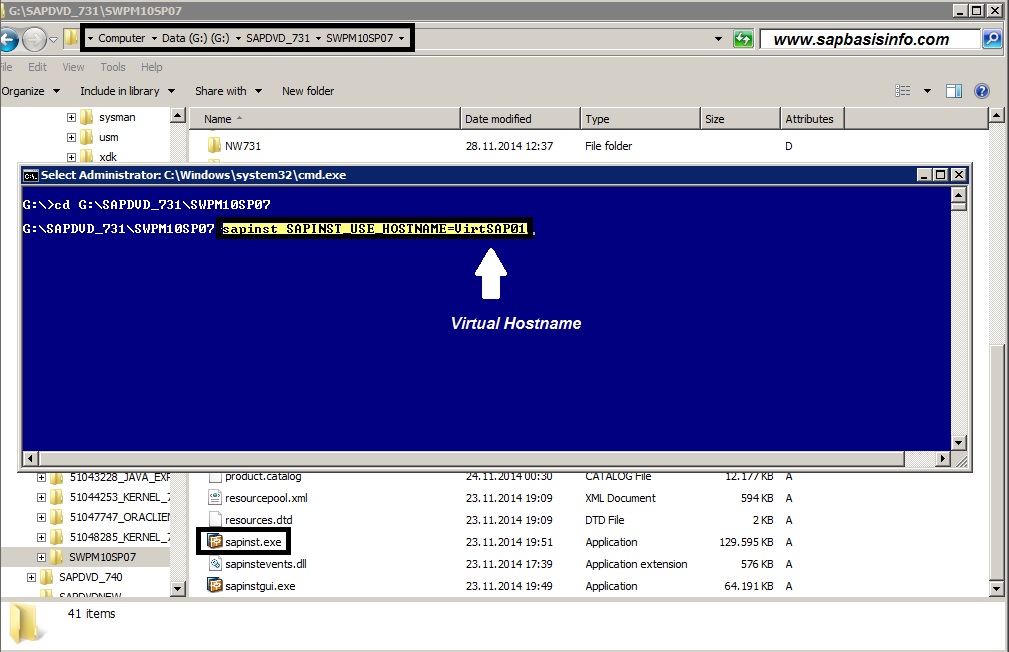
If you want to install your SAP system with VIRTUAL HOSTNAME then you should use the following SAPINST Switch to do it…
SAP Basis, SAP Security, S/4HANA, Fiori, SAP Administration
-
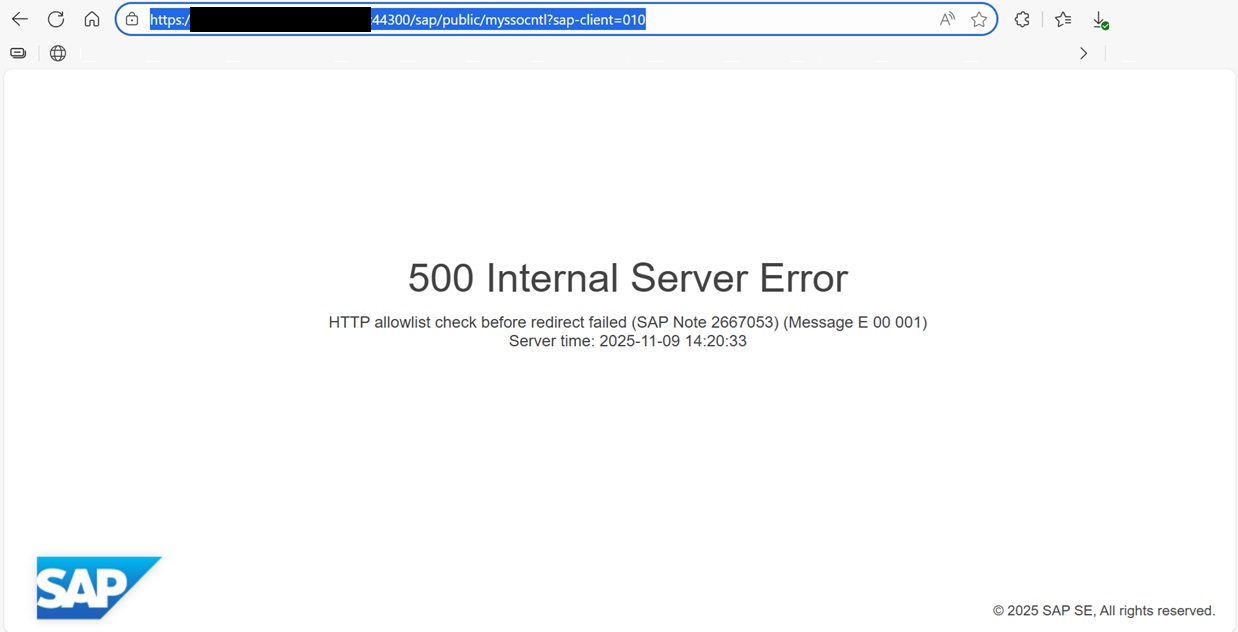
How to Resolve SAML2 HTTP 500 Errors Caused by HTTP Allow List Restrictions
When performing a server migration, hostname update, or domain change in an SAP landscape, one of the most common issues administrators encounter is...
-

Automatically Reorganizing Short Dumps
In order to clean the shortdumps in the system with certain criteria, the “SAP_REORG_ABAPDUMPS” job (Program Name : RSSNAPDL) must be...
-
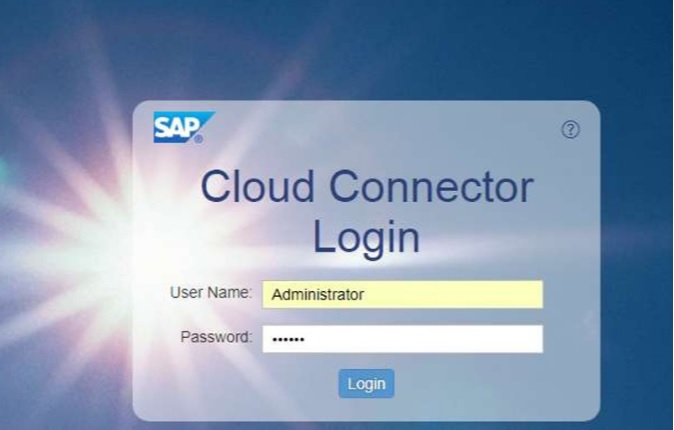
Reset the password of user Administrator of SAP Cloud Connector
Reset the password of user Administrator of SAP Cloud Connector – Stop the SAP Cloud Connector Service with the following command; #service...
-
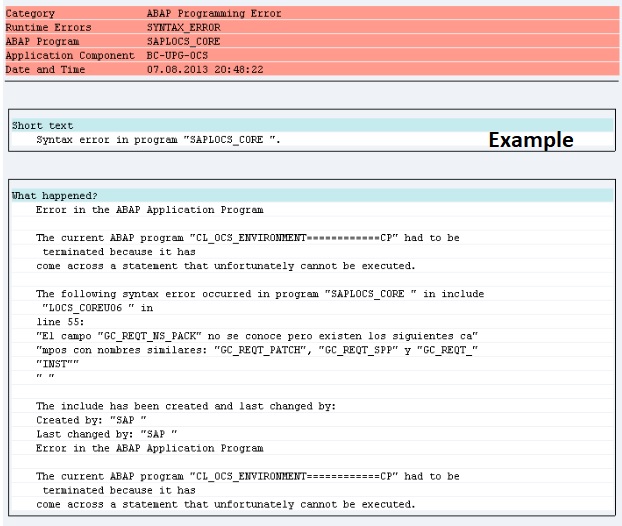
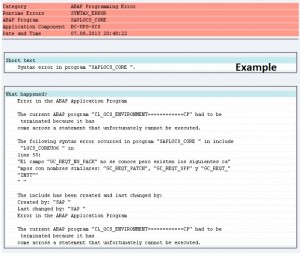
Dumps after SPAM aborts while Importing SAP Support Package
If the SPAM transaction is canceled or there is a connection interruption during the transfer of SAP Support Packages, errors as stated below may...
-
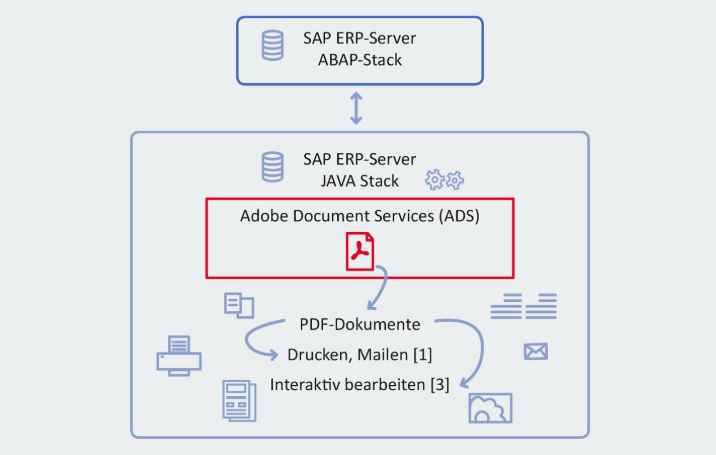
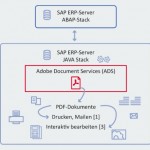
SAP HotNews : RSPO1043 detects false inconsistencies and deletes spool requests
If you are storing ADS spool requests in the database and not in the default way in the filesystem or you are on one of this SPs or higher ; ...
-
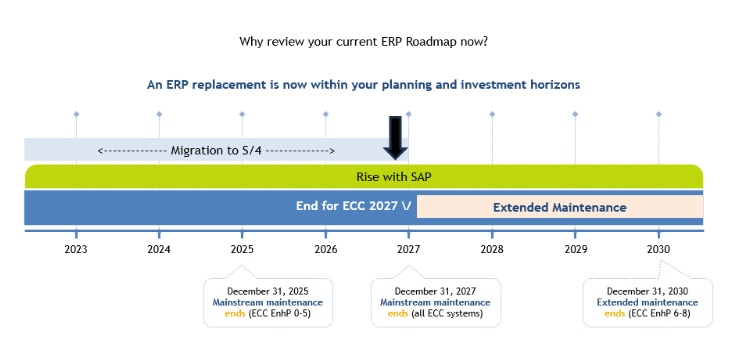
SAP extends support deadline for getting off legacy software
SAP has announced an extension for support for legacy systems for certain customers who sign up for specific ERP cloud migration deals. ...
-
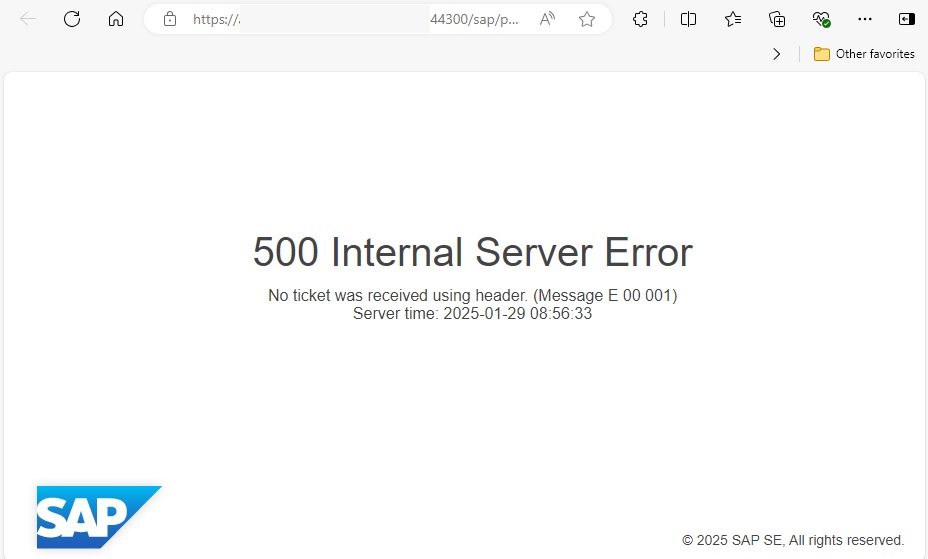
500 Internal Server Error via Web Browser
When trying to open a web browser-based screen via a transaction code in SAP, a “500 Internal Server Error” error may be received. ...
-
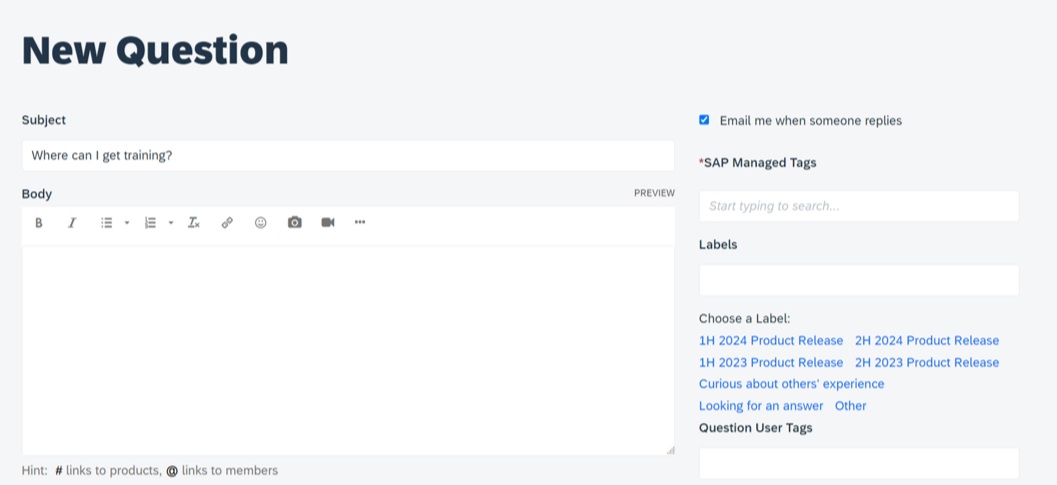
Asking and Answering Questions in the SAP Community
SAP provides a convenient channel through which you can ask questions about any SAP topic. Before asking a question, you can also browse the...
-

Performance Issues on ABAP Stack
Today we are going to check performance issues on ABAP stack…The system may be up and running, but performance issues will hurt...
-

What is RISE with SAP ?
RISE with SAP is a “Business Transformation as a Service (BTaaS) product that focuses on shifting customers into the SAP cloud product...
SAP Download Manager : 407 Proxy Authentication Required

If your “SAP Download Manager” connection dosen’t work and gives error “407 Proxy Authentication Required” even after proxy configuration , then you should try the following solution…
XAL interface error: MTE name not found
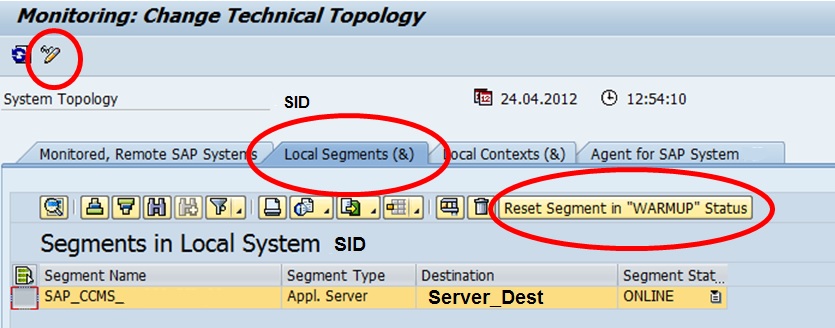
If you getting an error message like “XAL interface error: MTE name not found” then give a chance to following solution to eliminate it…
SAP PI RFCAdapter TimeOut Problem
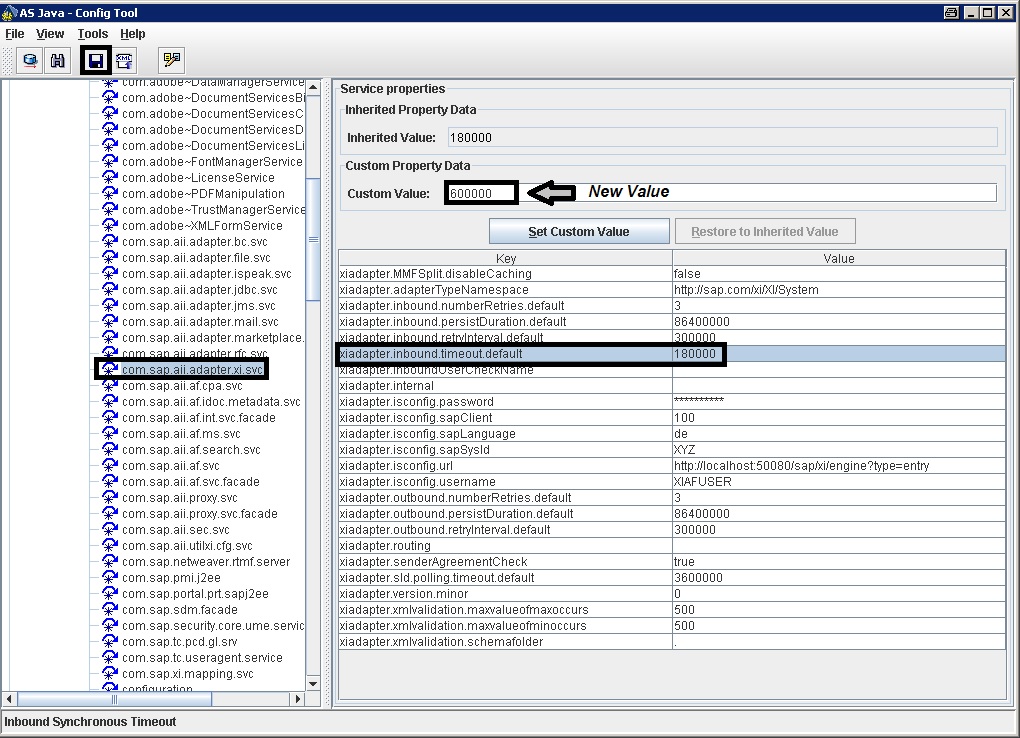
If you are getting “RFCAdapter Timout” errors on your SAP PI system , then you can change this value easily to eliminate this problem with following steps.
SM59 Connection ERROR:No storage allocation available for SAPXPG
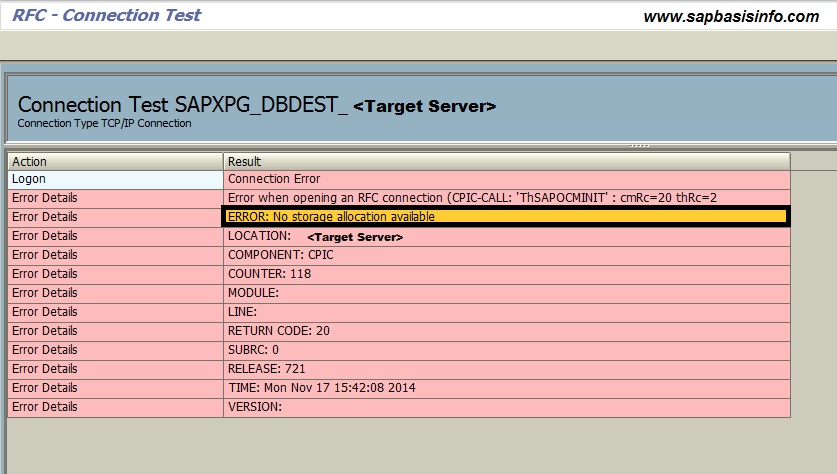
If you getting connection error on SM59 like “ERROR:No storage allocation available” for remote system’s registered program SAPXPG , then my suggestion to you check remote systems GW log file to clarify issue…
RSMEMORY – Temporary Changing ABAP Memory on SAP
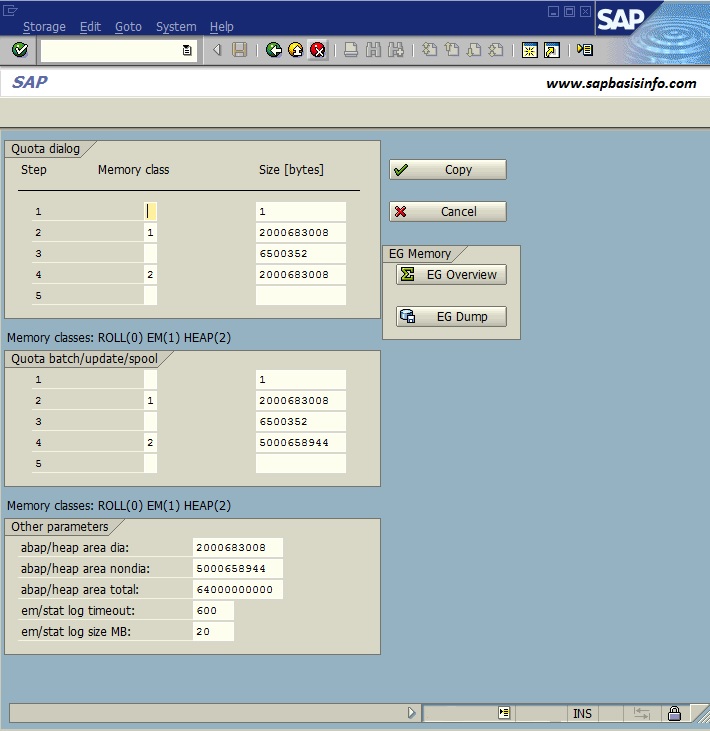
If you want to check or eliminate some memory problems (Like TSV_NEW_PAGE_ALLOCATION ) you don’t need to restart your SAP system, instead of this you can use SAP standart program RSMEMORY.
Question Marks in SAP Menu Screens
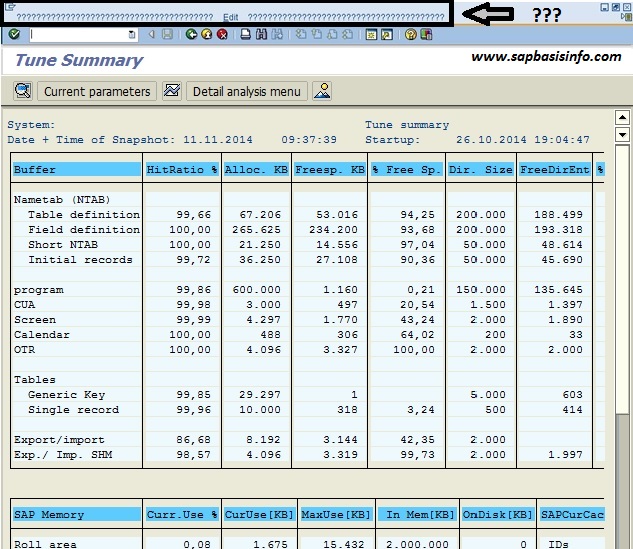
If you are see some strange question marks in your SAP menu area for some transaction screens, then you should check the following areas for possible cases..
Shrink Option for Oracle Database
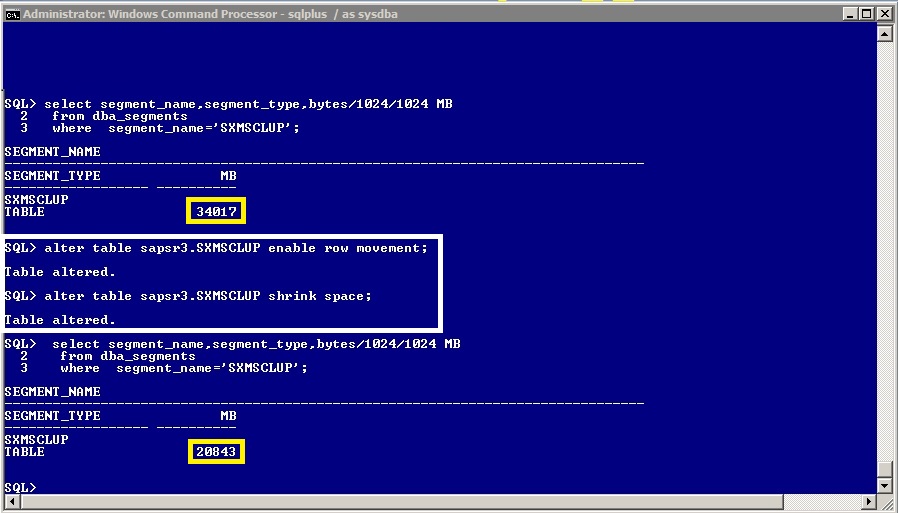
If you delete some records in a SAP database table , it is a good option to make a “Shrink” operation on database level.You can do this online and easly with Oracle 11G like shown below…
UJO_READ_EXCEPTION_000 – MDX statement error
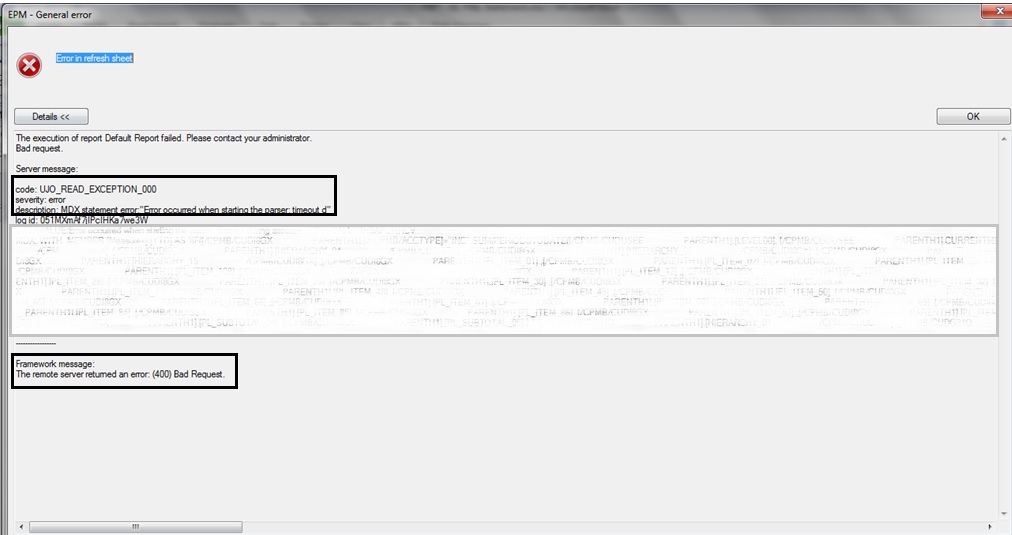
If you get an error like UJO_READ_EXCEPTION_000 : MDX statement error : “Error occurred when starting the parser” espacially after the kernel upgrade process , you should check the MDX_PARSER connection test on SM59 transaction first like below…
ITS, New user session denied due to memory bottleneck
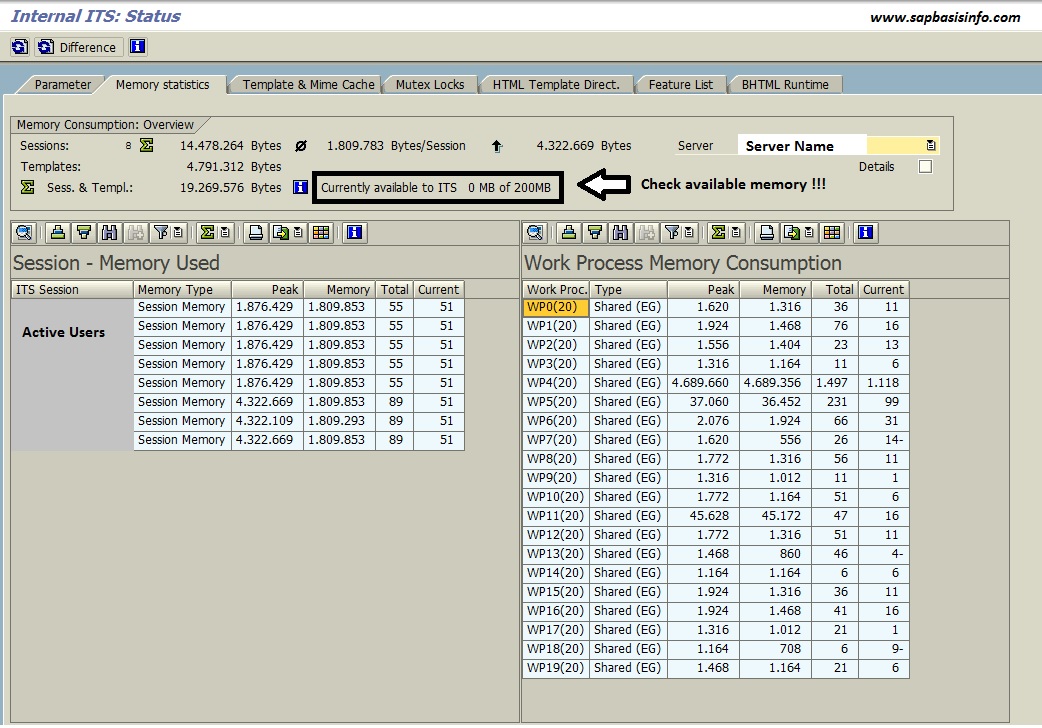
If you get an error like “ITS, New user session denied due to memory bottleneck” in you SAP systems SM21 logs and your WEB page comes with “Internal 500 error” then you should check your ITS Free Memory value like below…
“BR0123E Format error found in line” for ArchSID.log file
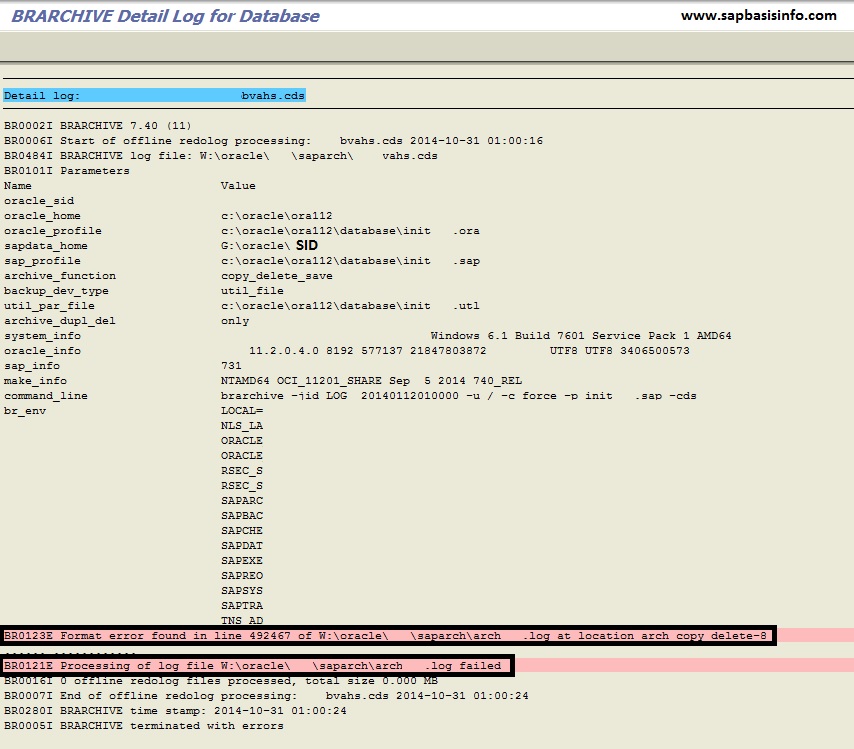
If you getting error like “BR0123E Format error found in line” for ArchSID.log file in your Redolog backup action file , then you should check the following solution.
SAP Has Released New Logo

SAP has decided to change it’s logo…The new logo started to be appering on “SAP Home Page” (http://www.sap.com) and official “Twitter” account (https://twitter.com/sap)
SAP Ports and Descriptions

The tables below list the most important ports used by the AS ABAP and AS JAVA
Resetting the Buffer Areas in SAP System
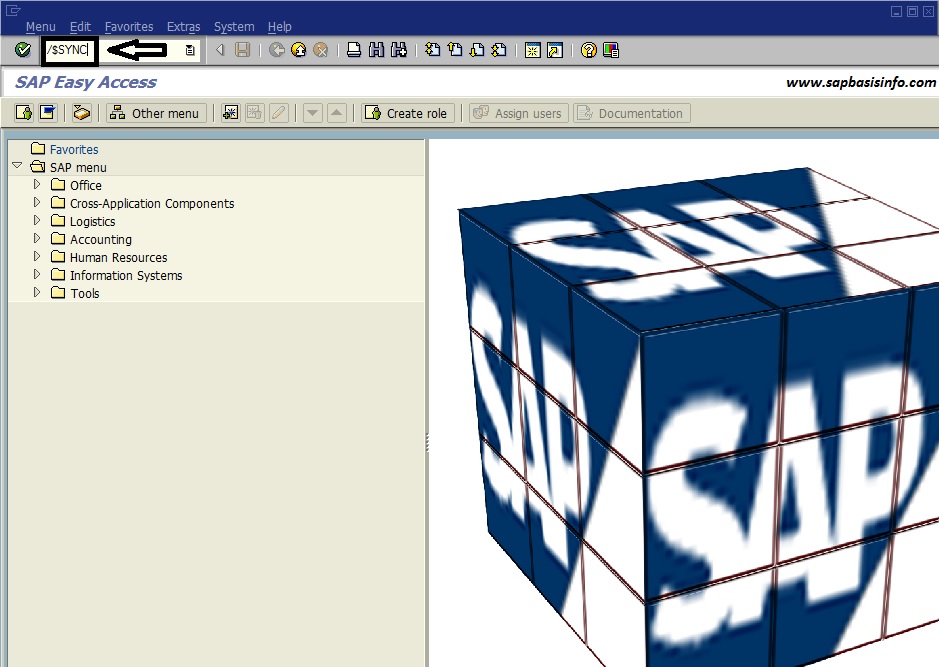
If you need to “Reset any buffer area” in your SAP system then you can use the following commands on your SAPGUI command line..
TSM “Session Rejected : Authentication Failure”

If you got an error like “Session Rejected : Authentication Failure” while trying to get a database backup via “Tivoli Storage Manager” backup solution then you should check the following command to solve it…
Determining the Number of Work Processes Required for SAP System
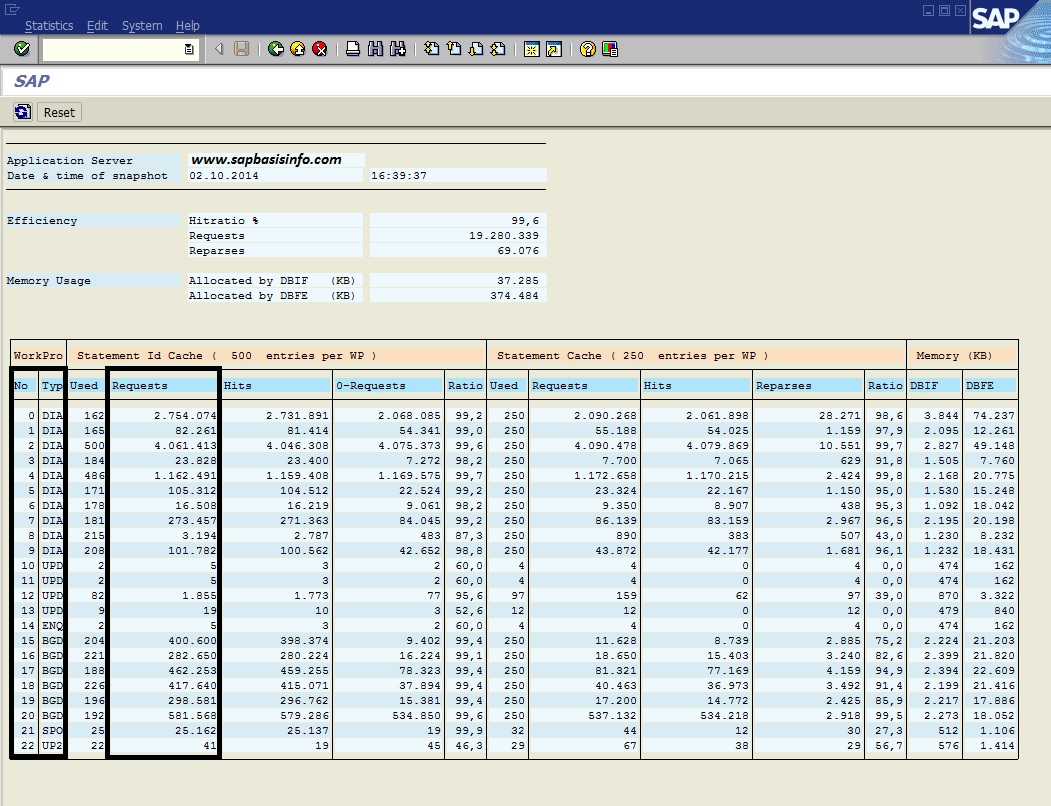
If you want to find out the “optimum number of work processes“ required for your SAP system , then you can use the following methods to do this…
Test Transport Tool via RSTPTEST

If you have some problems on TP process or STMS import procedure , you should first check your “Transport Tool” health via SAP program RSTPTEST
Determine SAP Table Size via Program RSTABLESIZE

If you want to calculate any “SAP Table Size” then you can use the SAP program RSTABLESIZE to do this quickly…
Find Size of the SAP Client
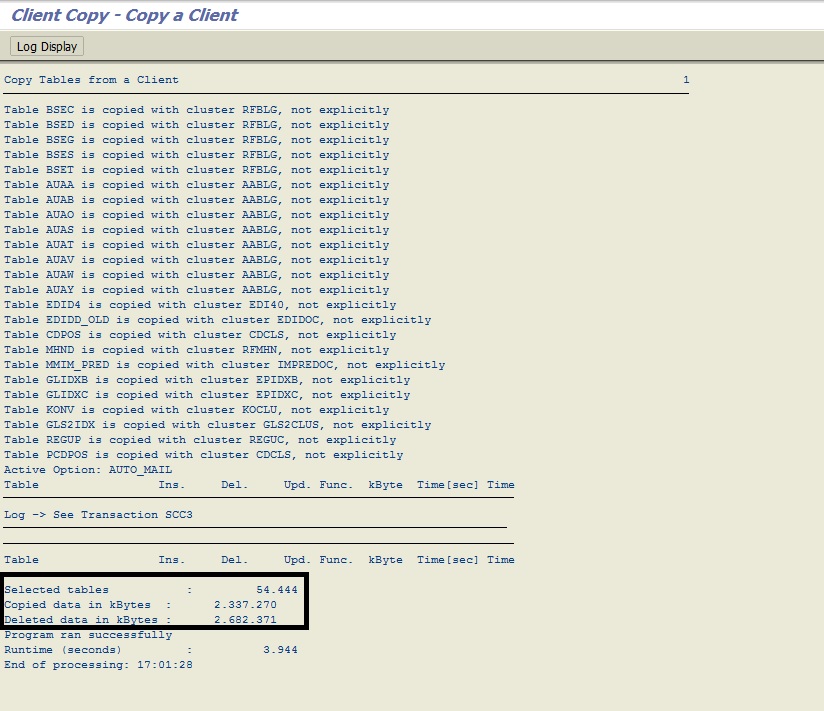
If you need to calculate your “SAP client Size” then you can easily use SCCL (SAP Client Copy Local) transaction or SAP program RSSPACECHECK for this issue..
Recreate COFILES and DATA Files under TRANS Directory

If you have deleted the related COFILES and DATA files under TRANS directory wrongly for the “Transport Request” then you can RECREATE again with following procedure…
Clean Up Transport Directory with TP Command

If you need to clear your /usr/sap/trans directory then you can use the TP command options for this operation easily.
Work Process Monitoring with DPMON Utility

If you cannot logon to your SAP system over SAPGUI for various reasons (it might be the reason is , there are no empty work processes to handle your request) then you can use the DPMON with following informations…
Check SAP Profiles Via SAPPFPAR Tool
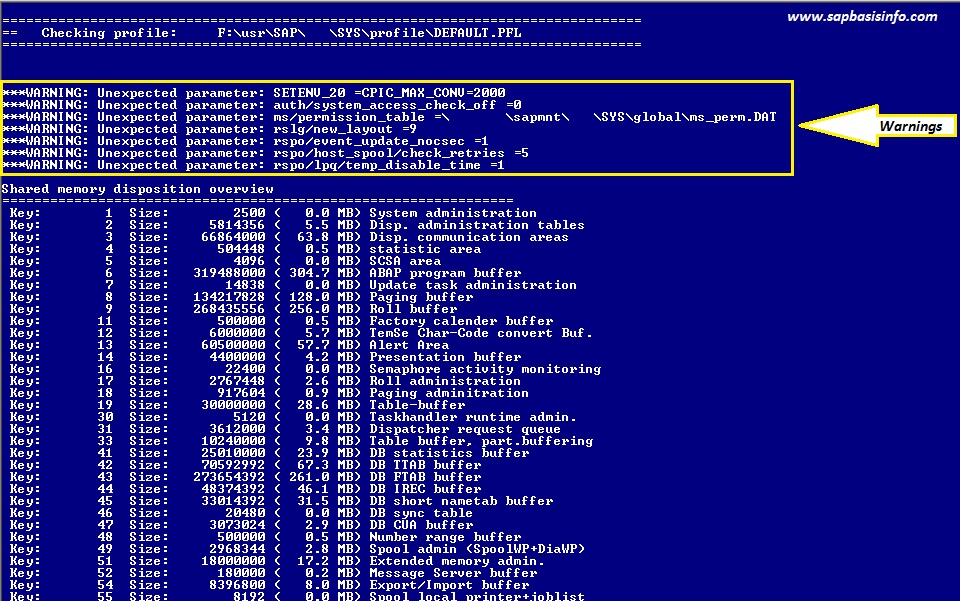
If you want to check you SAP profiles configurations then you can use this little program on OS level which comes with KERNEL package.
Check Speed and Quality of Network Connections from SAP
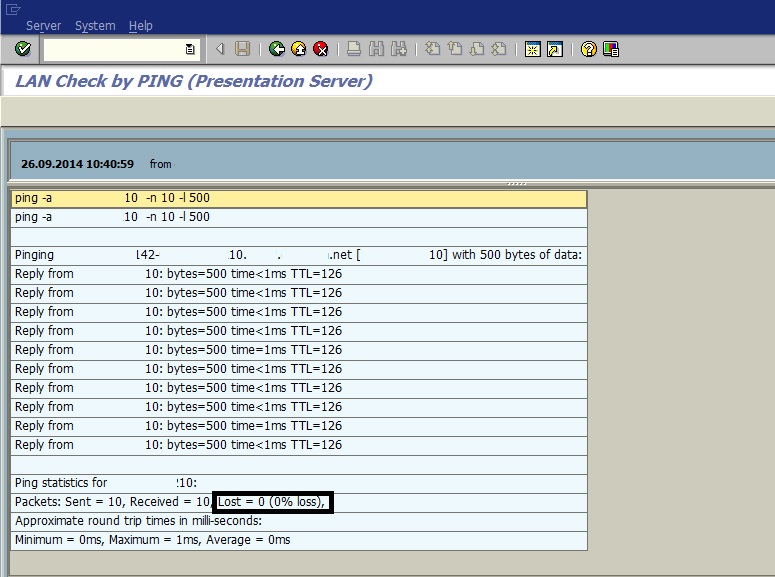
If you have some doubts about network quality of your connections then you can check Speed/Quality/Connection Status over your SAP system easily…
Featured Posts
-
How to Resolve SAML2 HTTP 500 Errors Caused by HTTP Allow List Restrictions
-
Automatically Reorganizing Short Dumps
-
Reset the password of user Administrator of SAP Cloud Connector
-
Dumps after SPAM aborts while Importing SAP Support Package
-
SAP HotNews : RSPO1043 detects false inconsistencies and deletes spool requests
-

SAP extends support deadline for getting off legacy software
-
500 Internal Server Error via Web Browser
-
Asking and Answering Questions in the SAP Community
-

Performance Issues on ABAP Stack
-

What is RISE with SAP ?
Recent Comments